
WebStorm 目前並沒有原生支援 Hugo,須另外安裝 Smart Hugo,且不再使用 Prettier 與 Stylelint,直接使用 WebStorm 內建功能,打造 Zero Dependency 與 No Node.js 開發環境。
Version
WebStorm 2026.1
Smart Hugo
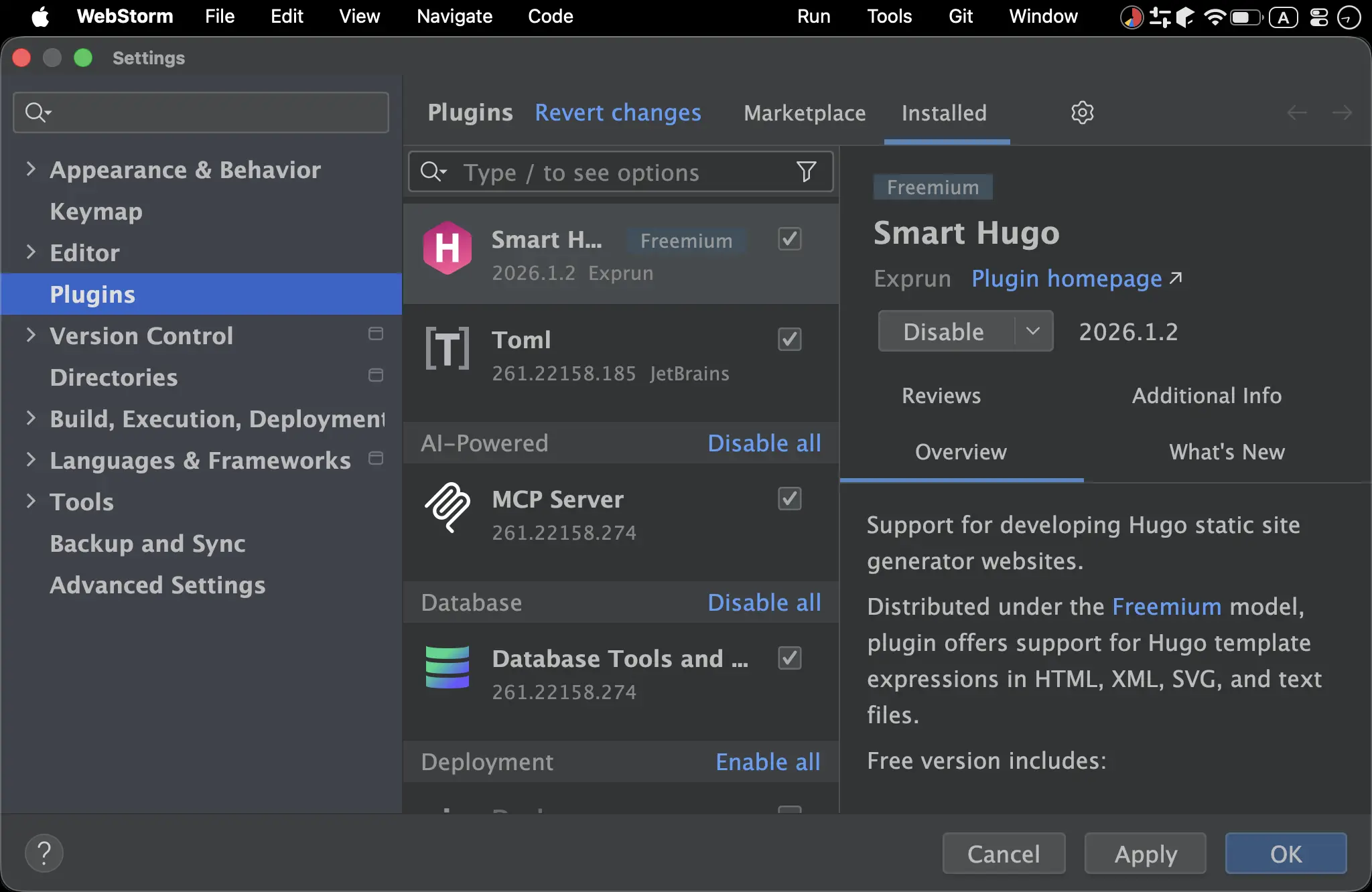
Settings -> Plugins
Smart Hugo:支援 Go Template
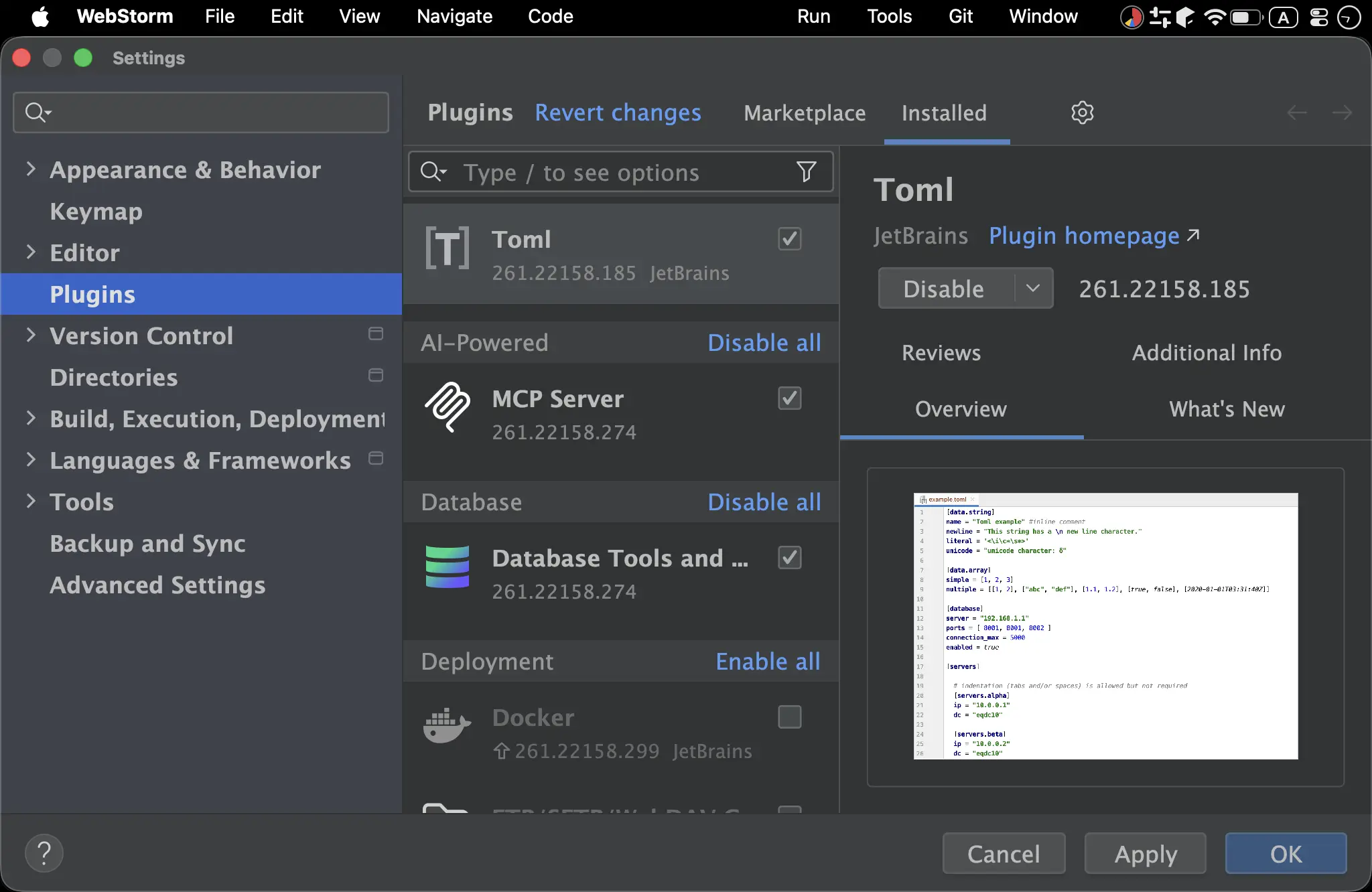
TOML:支援 Hugo 設定檔格式
Project Directories
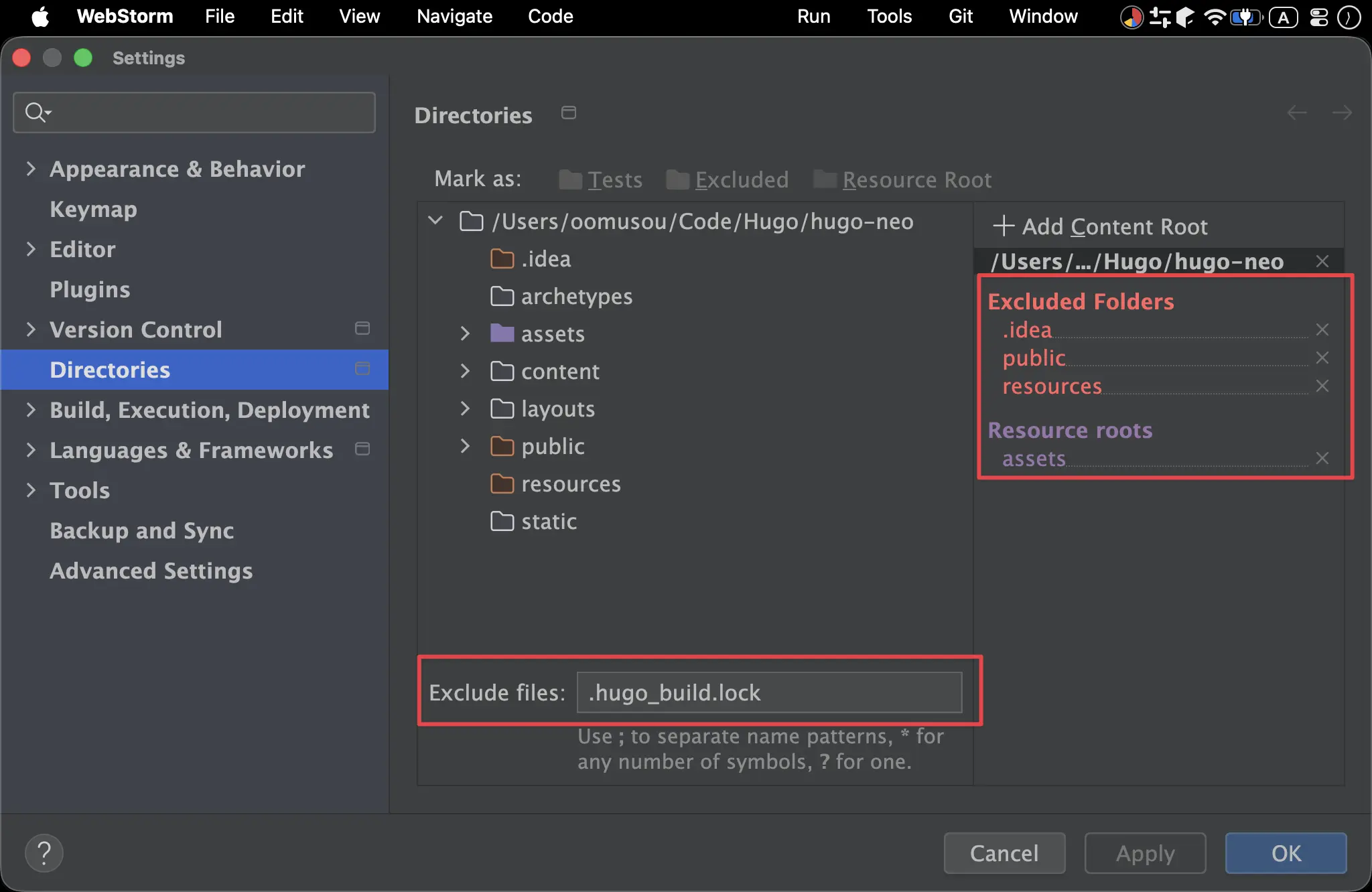
Settings -> Directories
Resource Root:assets:放置 CSS、JavaScript 與 JSON
Excluded:.idea:WebStorm 的暫存檔存放目錄public:hugo build之後的 HTML/CSS/JavaScriptresources:hugo server時所建立的暫存目錄
Exclude Files:.hugo_build.lock:Hugo build 所建立的 lock 檔
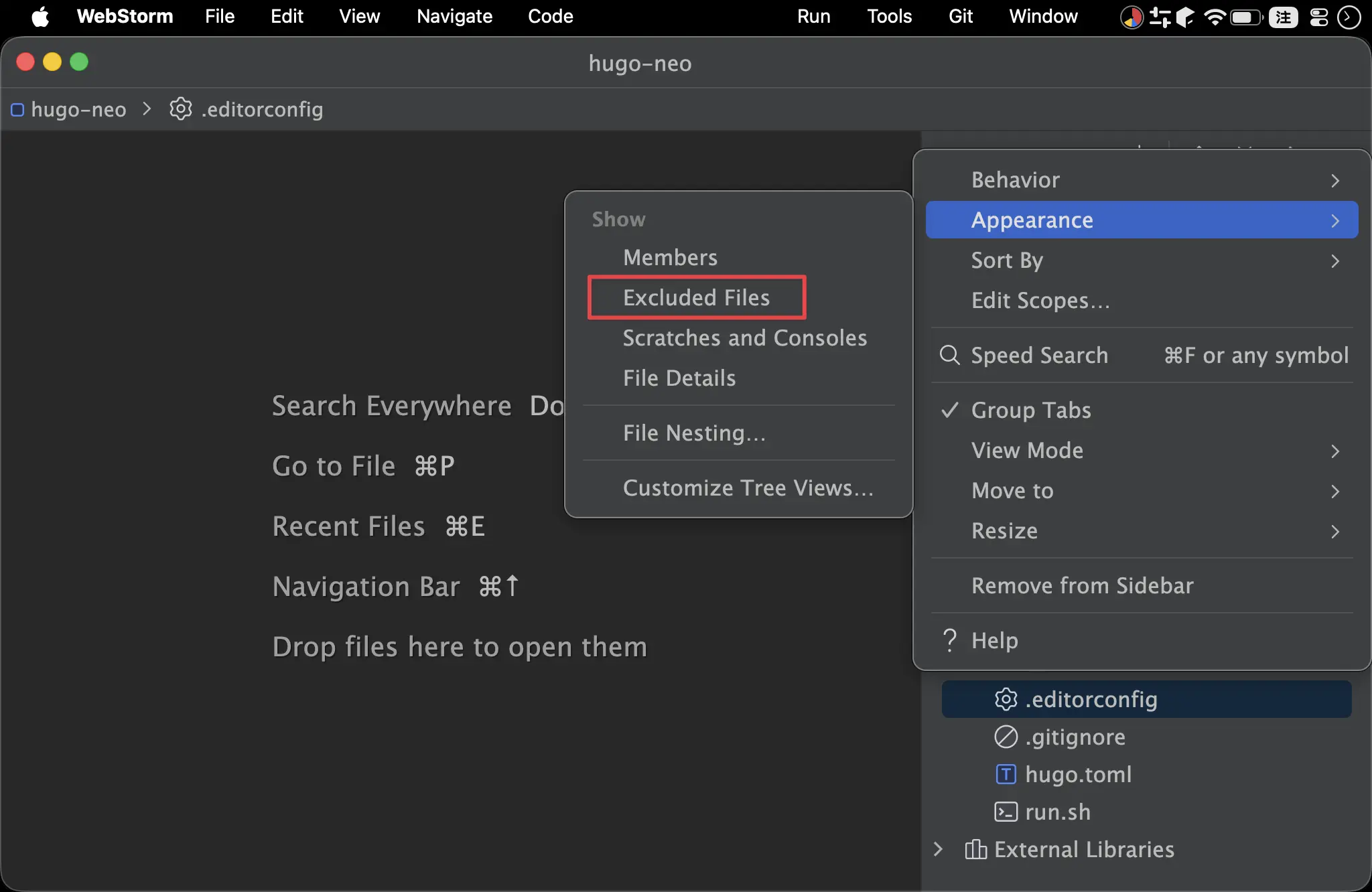
- Project 不顯示 Excluded
Prettier
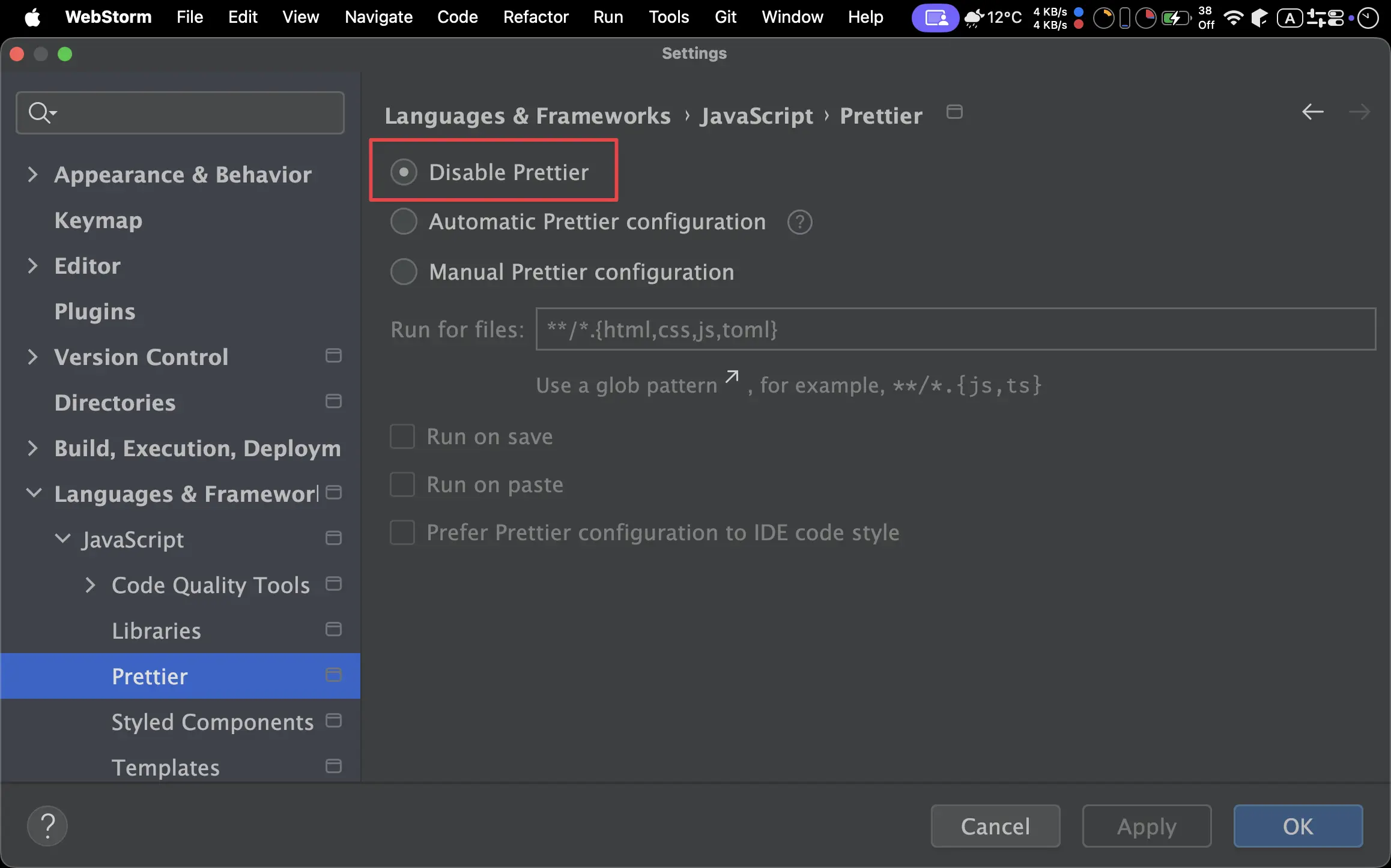
Settings -> Languages & Frameworks -> JavaScript -> Prettier
Disable Prettier:On
Stylelint
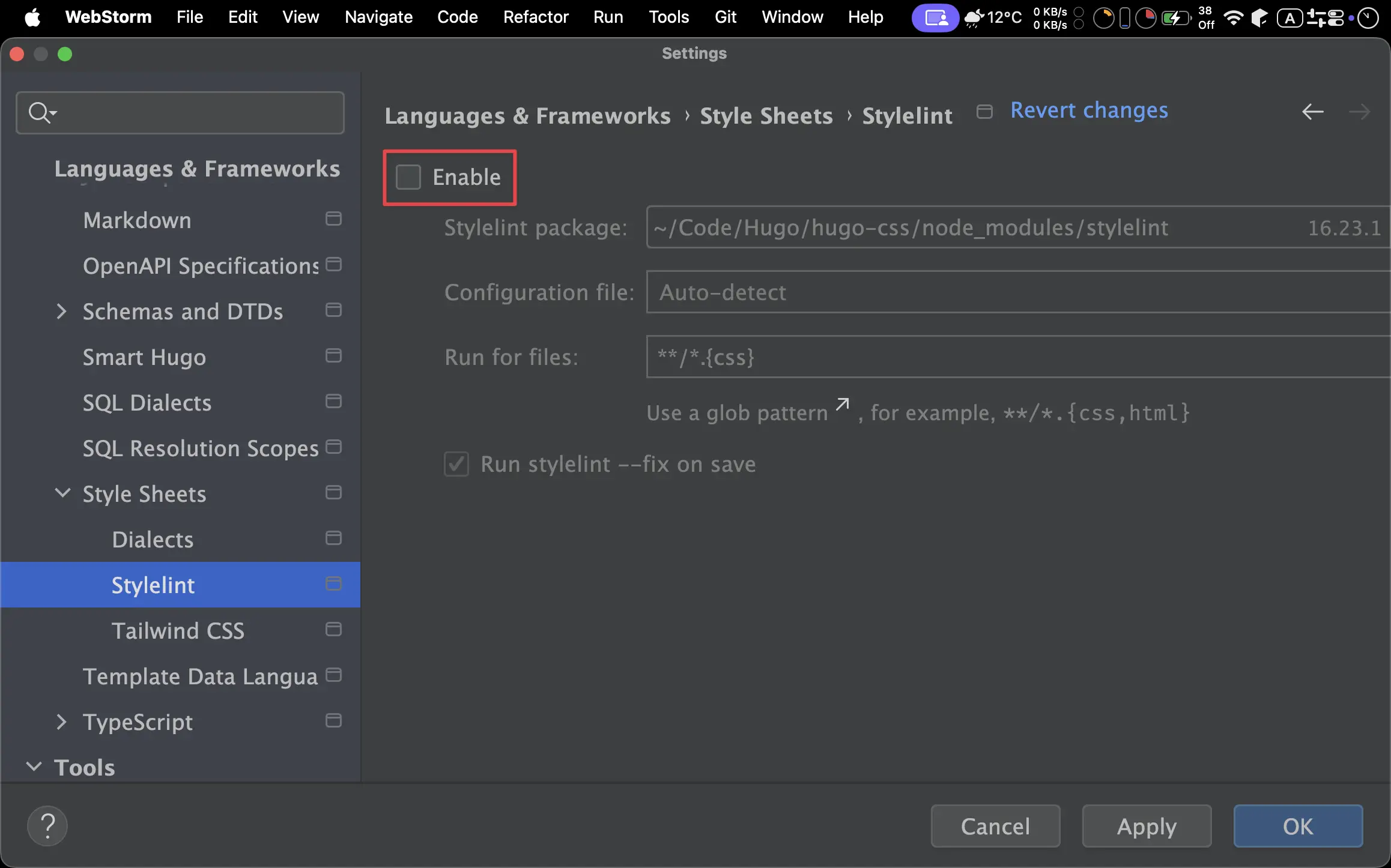
Settings -> Languages & Frameworks -> Style Sheets -> Stylelint
Enable:Off
EditorConfig
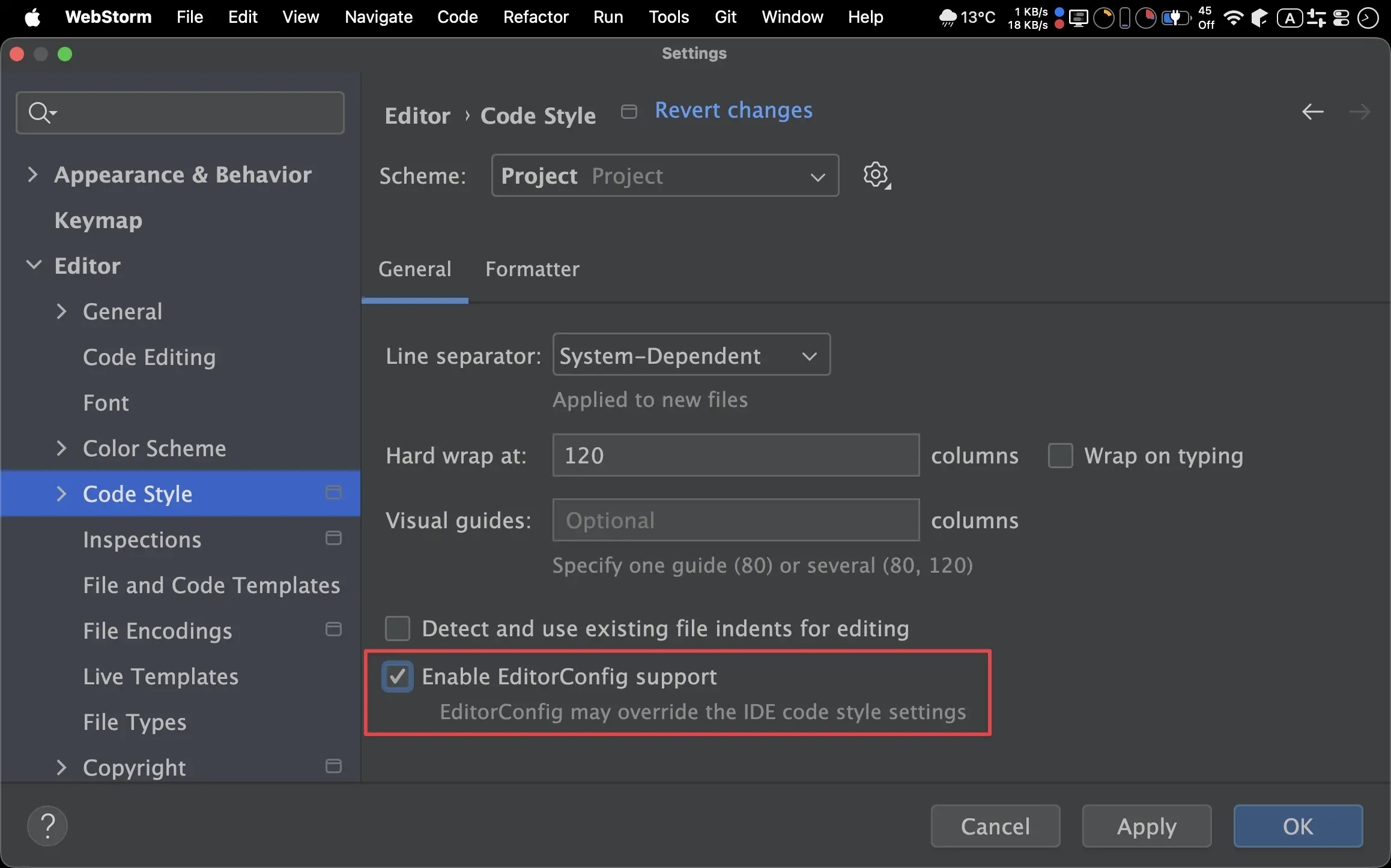
System -> Editor -> Code Style
Enable EditorConfig support:On
.editorconfig
root = true

# 針對所有檔案的預設設定
[*]
charset = utf-8
indent_style = space
indent_size = 2
end_of_line = lf
insert_final_newline = true
trim_trailing_whitespace = true

# 強制針對 HTML 和 Go Template 檔案使用 2 空格
[*.{html,htm,tmpl}]
indent_style = space
indent_size = 2
- 強制 Go Template 語法 indent 為
2
HTML Style
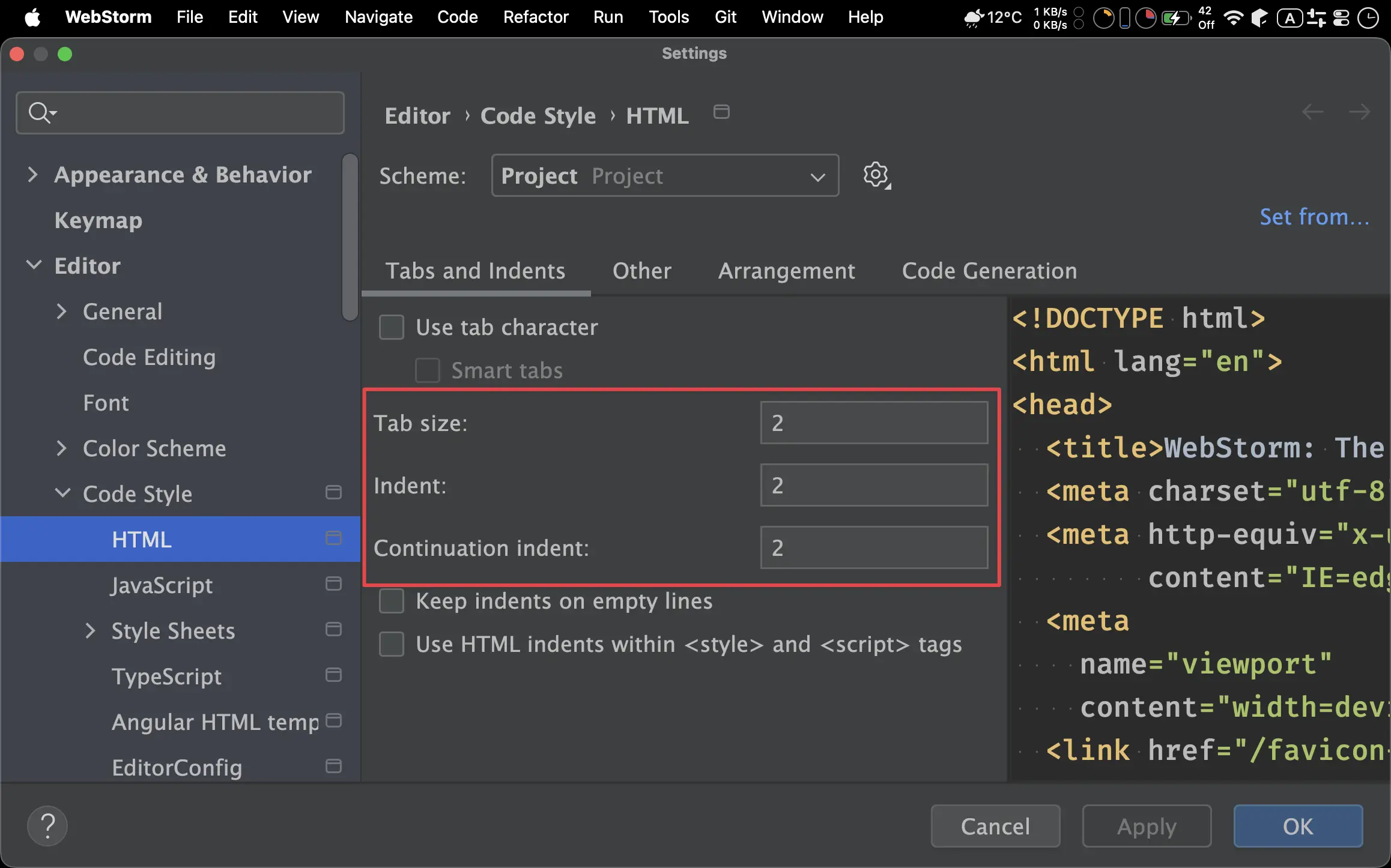
Settings -> Editor -> Code Style -> HTML -> Tabs and Indent
Tab size:2Indent:2Continuation indent:2
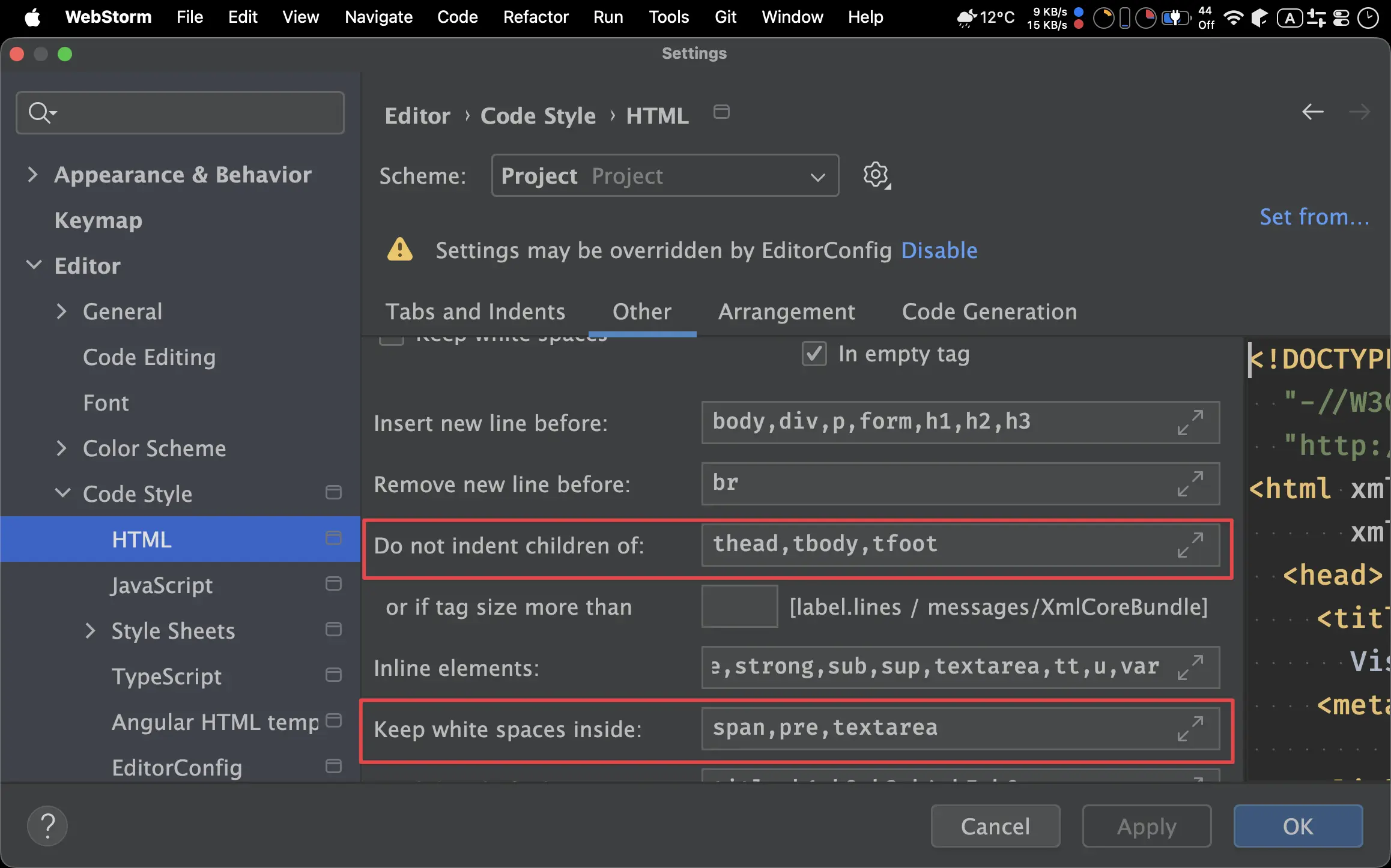
Settings -> Editor -> Code Style -> HTML -> Other
Do not indent children of:head,tbody,tfootKeep white spaces inside:span,pre,textarea
CSS Style
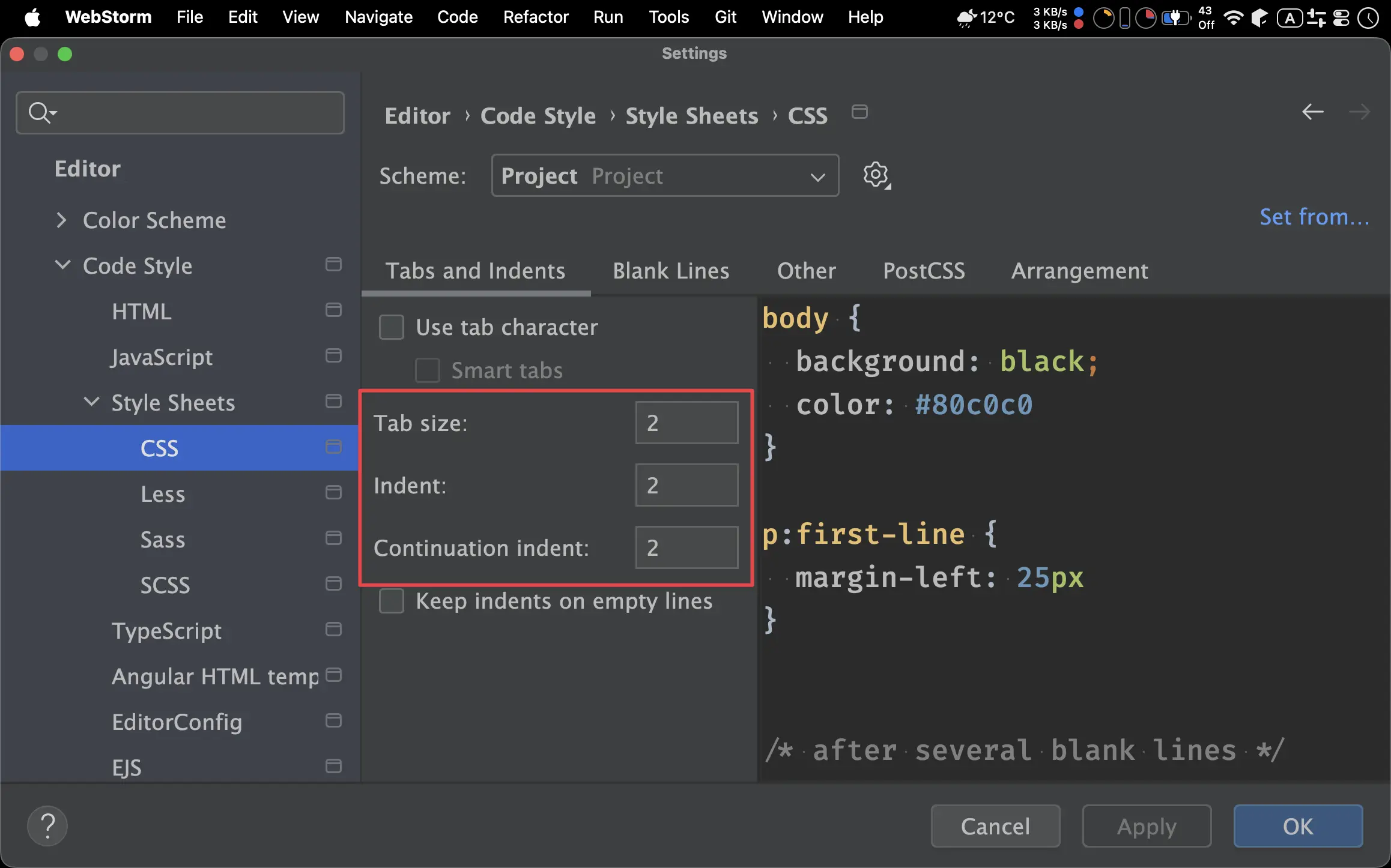
Settings -> Editor -> Code Style -> Style Sheets -> CSS -> Tabs and Indent
Tab size:2Indent:2Continuation indent:2
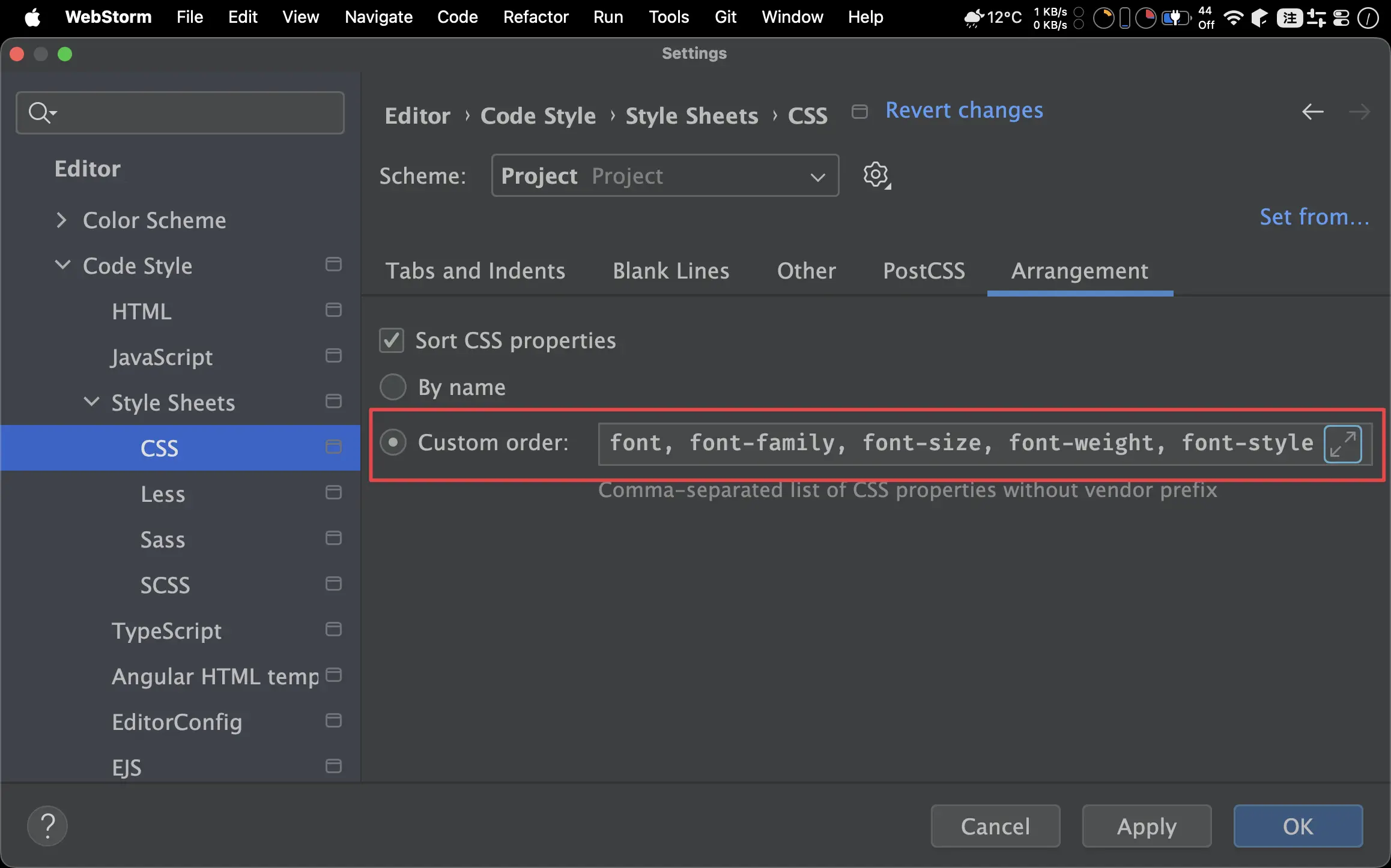
Settings -> Editor -> Code Style -> Style Sheets -> CSS -> Arrangement
Custom order
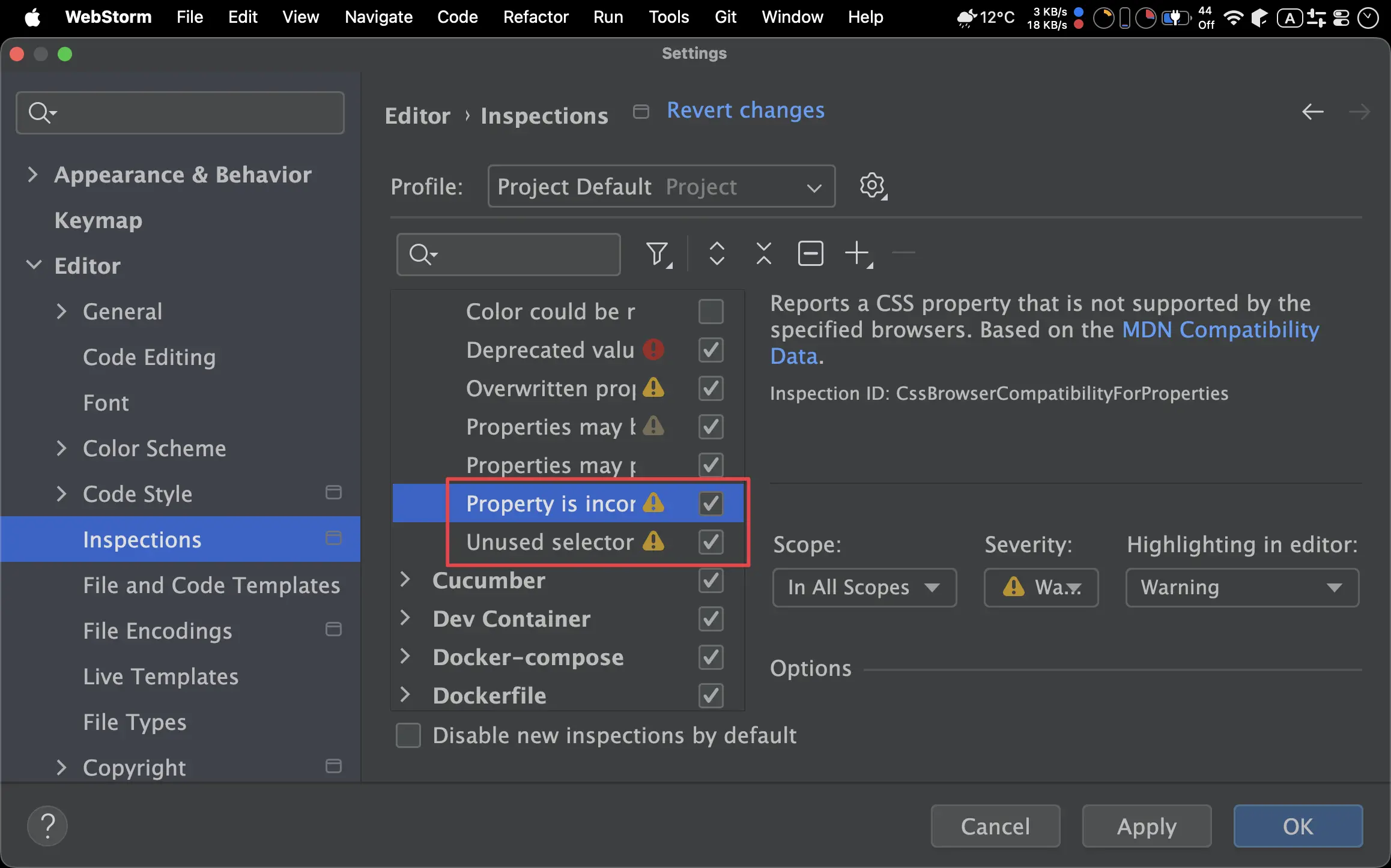
Settings -> Editor -> Inspections -> CSS
Property is incompatible with selected browsers:OnUnused selector:On
Actions on Save
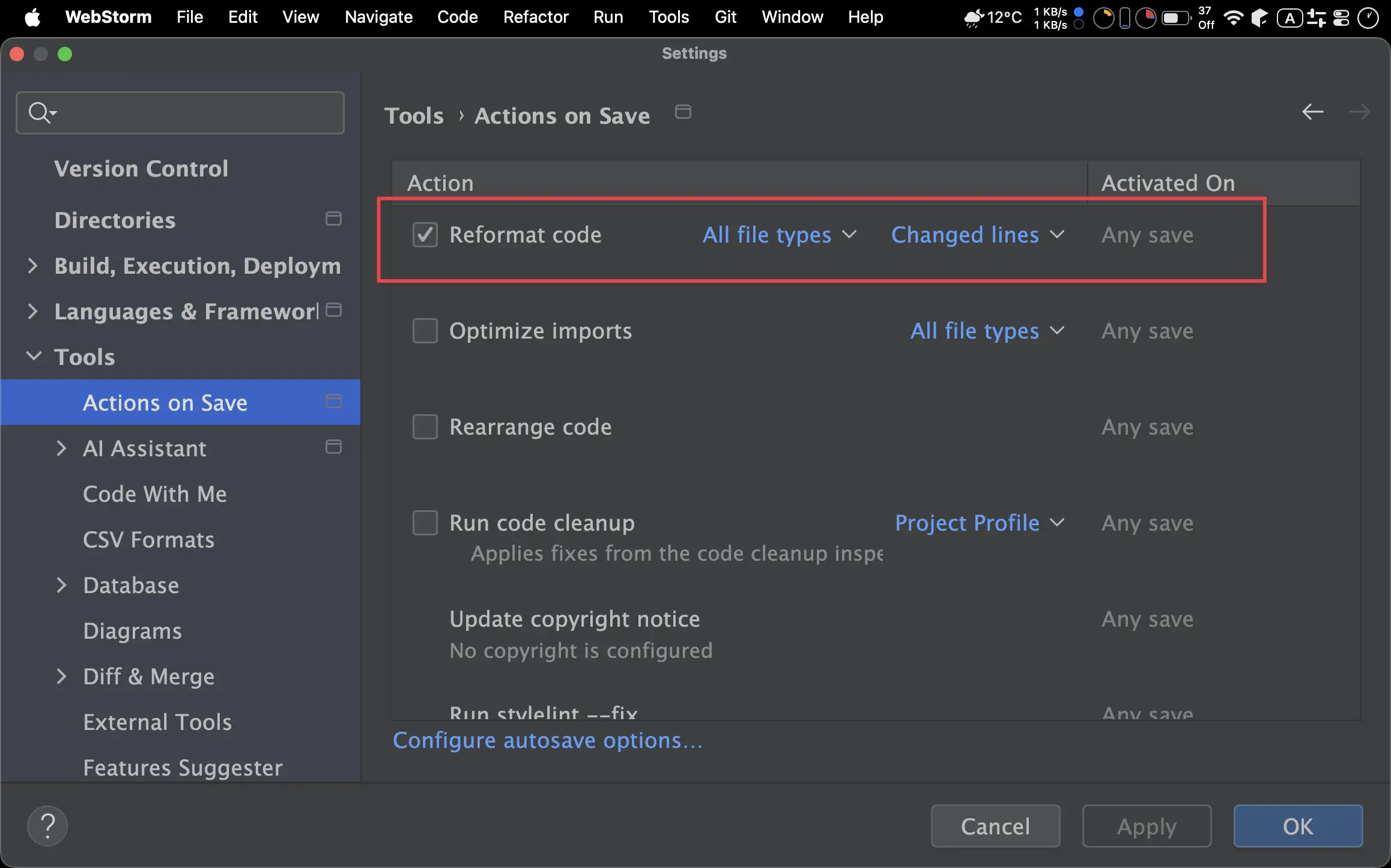
Settings -> Tools -> Actions on Save
Reformat code:Changed lines
Git
.gitignore
# Hugo
public
resources
.hugo_build.lock

# Editor
.idea

# macOS
.DS_Store
將 .gitignore 建立在 Hugo 專案的 根目錄 下。
public: 編譯過的 HTML/CSS/JavaScriptresources:hugo server時所建立的暫存目錄.hugo_build.lock: Hugo build 所建立的 lock 檔.idea: WebStorm 的暫存檔存放目錄.DS_Store: macOS 的資源檔
Shell Script
run.sh
#!/bin/bash

COMMAND=$1

case "$COMMAND" in
  "dev")
    echo "🚀 Starting Hugo Development Server..."
    hugo server --disableFastRender
    ;;

  "build")
    echo "📦 Building Static Site..."
    hugo --cleanDestinationDir --minify
    echo "✅ Build complete in ./public"
    ;;

  "serve")
    echo "🌐 Serving ./public folder via Python..."
    python3 -m http.server --directory public
    ;;

  *)
    echo "❌ Incorrect usage. Please enter one of the following commands:"
    echo "   ./run.sh dev    - Start development preview"
    echo "   ./run.sh build  - Build production version"
    echo "   ./run.sh serve  - Preview the public folder"
    exit 1
    ;;
esac
- 使用 Shell Script 取代 NPM Script
$ chmod +x ./run.sh
- 給予
run.sh執行權限
Conclusion
- Smart Hugo 雖非 JetBrains 官方 Plugin,但其表現比 Go Template Plugin 好,是專為 Hugo 所設計,免費版已經非常好用
- WebStorm 可以設定出比 Prettier 更細膩的 HTML 與 CSS 格式
- WebStorm 對 CSS 的檢查不輸給 Stylelint,也可以對 property 加以排序
- 原本因為 VS Code 對於 Node.js 生態系的 Prettier 與 Stylelint 支援完整,WebStorm 在 Hugo 主題開發上日漸式微,但若使用 Vanilla CSS 搭配 Zero Dependency 與 No Node.js,則必須靠 WebStorm 內建功能彌補 Prettier 與 Stylelint 缺憾,VS Code 在這點無法與 WebStorm 抗衡