
Codex 除了能使用 ChatGPT 外,亦可使用 LM Studio 的本地模型。
Version
Codex 0.144.1
LM Studio 0.4.19
Profile
qwen36-27b.config.toml
model = "qwen3.6-27b-mlx"
model_provider = "qwen36_27b"
model_context_window = 262144
model_auto_compact_token_limit = 120000
model_reasoning_effort = "minimal"
model_reasoning_summary = "none"

[model_providers.qwen36_27b]
name = "qwen36_27b"
base_url = "http://127.0.0.1:1234/v1"
wire_api = "responses"
env_key = "LM_STUDIO_API_KEY"
stream_idle_timeout_ms = 300000

[tui.model_availability_nux]
"gpt-5.5" = 4
- 在
.codex目錄下新增 model 的設定檔,命名規則為 model名稱 +.config.toml model:model 實際名稱model_provider:所使用的 model provider,要與下方model_providers.qwen36_27b的名稱相對應
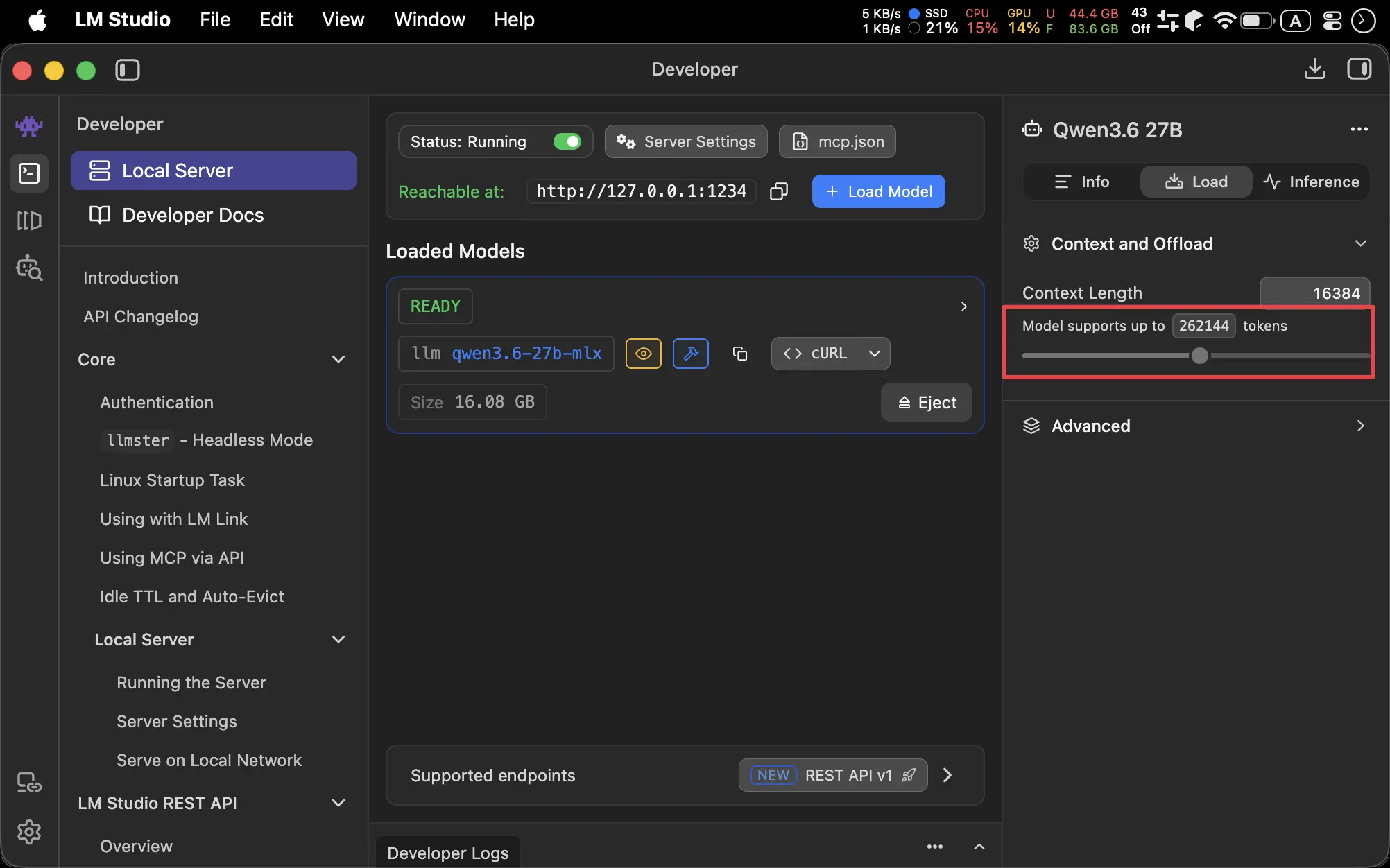
model_context_window: 要與 LM Studio 所設定的 context length 一樣,否則會無法啟動
Startup
$ codex --profile qwen36-27b
profile:以 profile 啟動qwen36-27b.config.toml的設定
ZSH Config
.zshrc
export LM_STUDIO_API_KEY=dummy
alias codex3627b="codex --profile qwen36-27b"
- 設定
LM_STUDIO_API_KEY,因為 Codex 需要 - 建立 alias 方便啟動